archived
FlashMusic
A Windows desktop tool for quickly organising music files on removable drives through drag-and-drop reordering and file renaming.
Project overview
About this project
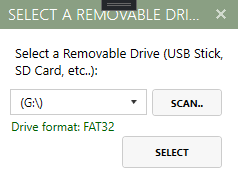
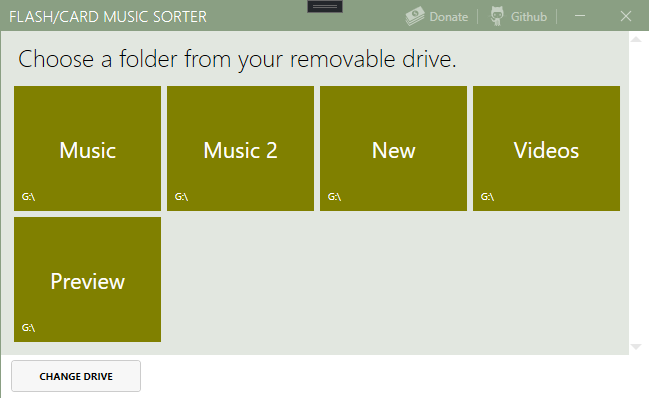
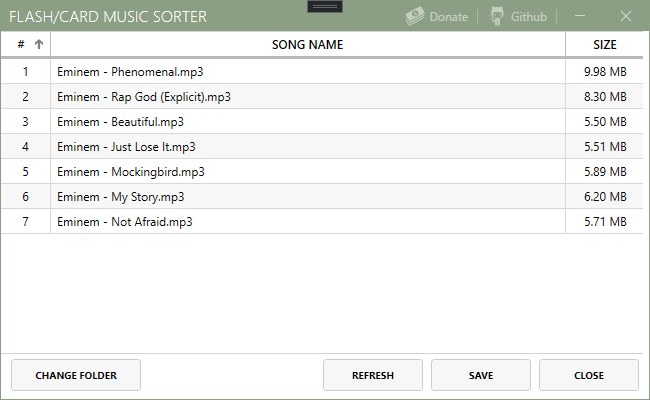
FlashMusic is a lightweight Windows application for arranging music on USB flash drives and similar removable media. It detects available removable drives, lets users browse their top-level folders, and loads supported audio files into an editable grid. Users can drag songs into a preferred order, rename files directly in the list, remove unwanted tracks, and refresh the folder view. When saved, FlashMusic safely moves the selected files to a temporary location before placing them back in the new order—supporting devices and players that use file order when playing music. Progress feedback and error dialogs help users follow the operation and handle common file or access issues.
Supported formats include MP3, WAV, AAC, WMA, and MP4 audio files.
Main capabilities
- Detect and select removable drives
- Browse folders on the selected drive
- List supported music files with names and sizes
- Reorder tracks via drag and drop
- Rename or remove individual tracks
- Save the new physical file order with progress reporting
- Handle common path, access, and file-conflict errors
Fun fact
FlashMusic started as a solution for my first car’s audio system. Its memory-card music adapter played files in transfer order, so newly added songs always came last and there was no simple way to reorganize them. I built FlashMusic to set the playback order by reordering tracks and saving them back to the card in that sequence.